
Roll/Flip/Verb-and-Write games have become some of my favorite tabletop experiences, from some of the simplest like Criss Cross and QWIXX, to my current favorite: Cartographers (Colorblind Games review).
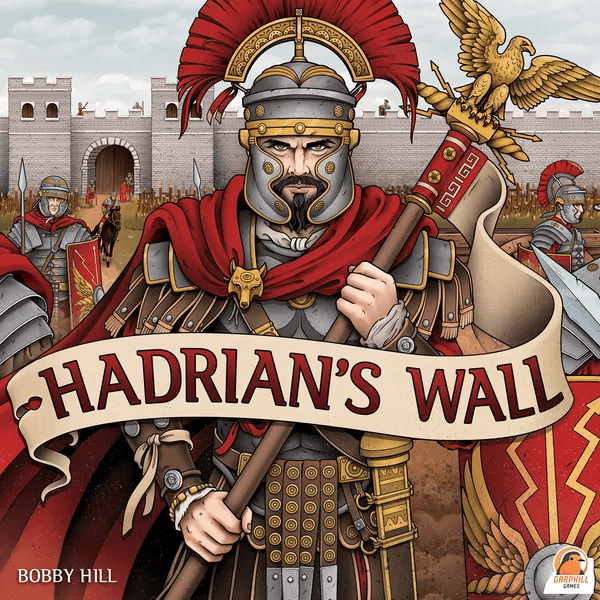
Hadrian’s Wall takes the complexity to the next level for a flip-and-write game. Designed by Bobby Hill, with art by Sam Phillips, and published by Garphill Games (among others), it plays 1-6 players in about 30-60 minutes.
Players take on the role of a Roman general in charge of constructing a milecastle and bordering wall. Actions include constructing the fort and wall, adding soldiers to the defenses, and attracting civilians by providing services and entertainment. Points are scored by accumulating renown, piety, valor, and discipline while avoiding disdain.
Gameplay descriptions and videos abound (I learned from this One Stop Coop Shop playthrough), so I’ll be focusing on my own accessibility challenges and solutions.
Accessibility Review
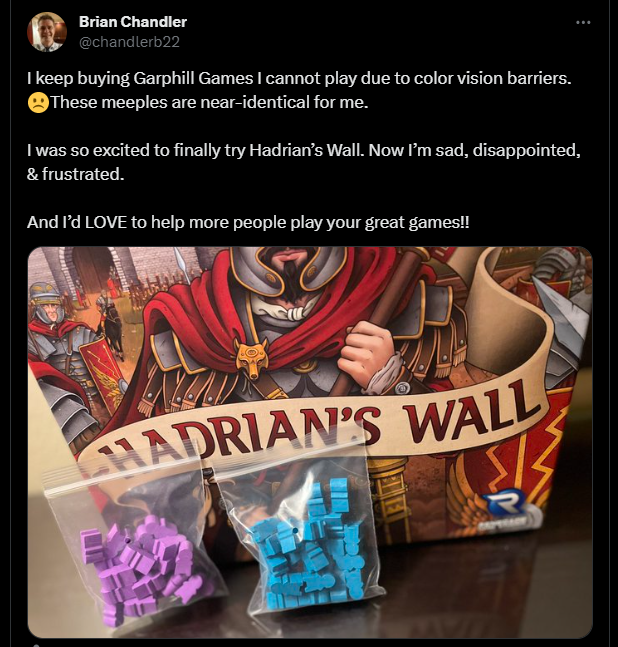
It’s not rare for accessibility barriers to cause disappointment. While traveling alone for work, I stopped by a local game store to purchase Hadrian’s Wall, unboxed the game in my hotel room, and then realized I could not play it due to the colors used. Sitting alone with an unplayable game, I expressed my frustration online.
Color Vision BARRIERS
As illustrated in the photo above, the blue and purple meeples in Hadrian’s Wall are impossible for me to tell apart. This same issue persists on the player sheets, which use color alone to distinguish the different meeples.
Low Vision BARRIERS
The roll-and-write sheets have very small icons, which exacerbates the color confusion for me. In some situations with other games, I’ve been able to navigate colors that are close to each other, but I need a certain amount of “square millimeters” to make distinctions.
Rolling With Two. Sarah Reed (Colorblind Games contributor) and Will Reed (see this Colorblind Games profile) recorded a 2-player introduction and accessibility review of Hadrian’s Wall on their YouTube channel, Rolling With Two. In that episode, they discussed the low vision barriers of very small text and icons, and also the amount of art on the sheets themselves.
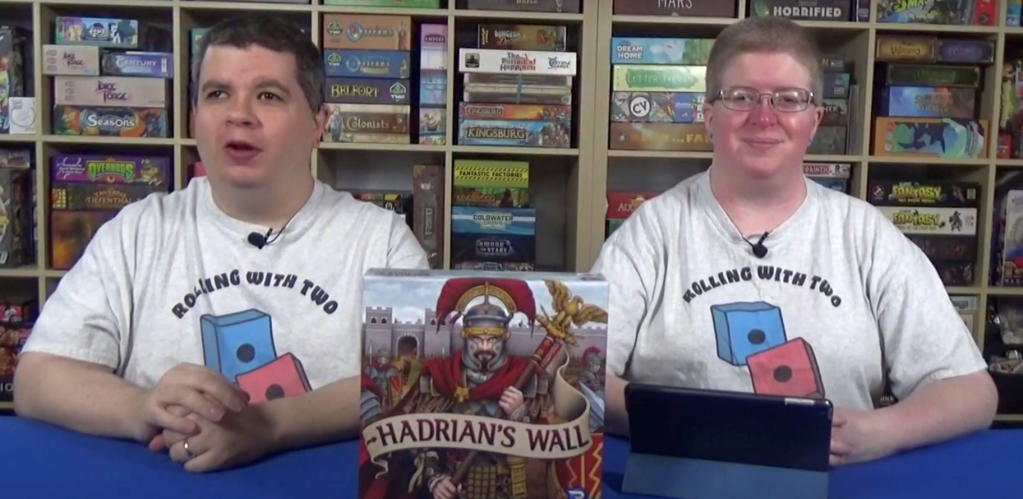
“The art reinforces the theme, which is fantastic,” Sarah shared, but then added, “I know I can use this thing here somewhere, and I just can’t see where that is.”
Accessibility Modifications: A Journey
Like several other games I’ve modified over the years, I usually start with tools I have around: permanent markers, components from other games, or random items in the house.
MY TRUSTED SHARPIE
I first attempted to mark up the game components and sheets, but I was quickly overwhelmed by the number of locations on those sheets that needed changes. Additionally, the small size of the icons made it difficult to add clarifying icons to the sheets. So I looked further for more options.
Stickers
I purchased a set of stickers on Etsy to help me distinguish the meeples from one another. This would not help with the player sheets, but it could be a start to make the meeples (especially blue and purple) more distinguishable.

I learned something about myself from this experience. I am terrible at stickers, I hate trying to make them perfect, and I get stressed out when they are not perfect. After attempting two meeples without success, I gave up stickers forever, put everything back in the box, and stuck my still-unplayed Hadrian’s Wall in the corner, awaiting other ideas.
Board Game Geek Community
Board Game Geek is a great community of gamers who often volunteer their time, skills, and creativity to help each other. This time, BGG user Tabletopturtle created and posted downloadable files for a colorblind-friendly version of the player sheets. As illustrated below, this version replaced the meeple icons (only distinguished by color) with shapes for each color: yellow circles, purple triangles, black crosses, and blue squares.

While the images are not high-resolution, this is a huge improvement from the original sheets. I currently use a low-quality printer at home, so the product I was able to print wasn’t clear enough to use (back to the small icons issues). But this is a great option for many players, especially in combination with associated meeple markups—or stickers for those with superior fine motor skills.
I stuck my game back on the shelf for a few more months and moved on to other things.
Board Game Arena Implementation
In October 2023, Board Game Arena (BGA)—a website that creates digital implementations of board games alongside the publishers—made Hadrian’s Wall available. This changed everything!

As part of the digital implementation, BGA made the following accessibility improvements:
- Changed servant meeples from purple to red, making them easier for most players to distinguish from the blue builders.
- Included tool tips, available by hovering my mouse over different components during gameplay.
- Added the ability to zoom in, which improves accessibility for low-vision players.

While I don’t play a lot of digital board games right now, BGA opened up Hadrian’s Wall to me, and I’ve enjoyed this version enough that it’s replaced my need and desire to make my paper copy accessible. Instead, I’ll pass it along and enjoy the game in this format, instead.
Conclusion
I have mixed feelings about my experiences with Hadrian’s Wall. On one hand, it was more than a year of frustrating attempts to hurdle accessibility barriers. While Board Game Arena came to the rescue in the end, and I’ve enjoyed my plays in that format, I remain disappointed that I can’t play Hadrian’s Wall in its original form. I’m also hopeful that the improvements made by BGG users and BGA will be incorporated into future printings of this game and will be considered in future game design, development, and publishing.
Image Credits: All Hadrian’s Wall art is credited to Garphill Games and Sam Phillips. Rolling With Two screenshot is credited to Sarah Reed and Will Reed. All photos of components and other items by Brian Chandler.

 Colorblind Games
One thought on “Colorblind Games Review and Mods | Hadrian’s Wall”